


Latest Version: 3.02
Modified on: 2015/05/03
My last theme for the year just made it for this holiday season. For travel bloggers who want to share their leisure experience, this Destination theme will be perfect for you!
Important note: To avoid compatibility issues, please ensure you are using WP 3+ when you install the Destination theme.

By using this theme for FREE, you agree to accept the external links.





Main Features
– User-friendly Options page
– Custom Menu
– Custom Menu Icons
– Automatic Thumbnails
– Different design for sticky post feature
– Compatible with IE7, IE8, Firefox, Chrome, Safari, Opera
– W3C XHTML and CSS compliant
– SEO ready
– Gravatar enable
Automatic Thumbnails
Please refer to this page for the details of how the automatic thumbnails work.
Custom Menu Icons
You can display up to 5 different menu icons for the Destination theme as follows:

When you create a page, an icon will be automatically added to the top right of the menu button. You can also upload your own icons by replacing the files in the /images folder. The filename of the icons are icon_menu1.png, icon_menu2.png, … , icon_menu5.png
Drop-down Menu
The Destination theme has a multi-level drop-down menu. There are two ways to create the drop-down menu.
1) When you create hierarchical pages, the drop-down menu will show up automatically in the header navigation.
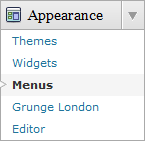
2) You can manually define the header links using the custom menu. To do it, first, click on the “Menus” link found under the “Appearance” tab in WP admin. Then follow the instruction on the page to add your custom menu. This feature only works with WP 3+.

This is another feature that will be added to all my future themes.
Plugin
There is a featured content section below the header link. This feature is built in using the Featured Content Gallery (FCG) plugin. Please download the latest version and follow the instruction found in “Readme.txt” to do the setup.
If you do not want to show this feature, just don’t install the plugin.
Blog Title and Description
The demo is showing a special font as below:

By default, after you install the theme, the blog title and description are showing the Arial font.
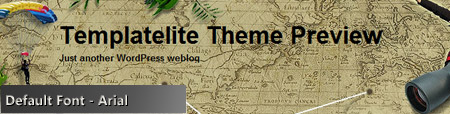
You can change the font style by following this instruction:
Part 1: Modifying Font Style
– Download this PSD zip file (also include the font for this theme)
– Extract and open the PSD file in the Photoshop/ImageReady/Gimp/PaintShop program
– Change the title and description using your desired font (you are free to modify the header image if you want)
– Save the image using this name: bg_header.jpg
– Upload the image to your server in the “/styles/default/” folder
Part 2: Activating the Style
– Login to your WP admin
– Go to the options page of the Destination theme under “Appearance -> Destination”
– Find “Theme Style” under “Layout Setting”
– In the pull-down menu, select “default.css”
– Save the setting and go to your site to see the changes.
Ad Widget
An ad widget can be found under the “Available Widgets” section. You can drag the widget to Sidebar 1. This widget allows you to add your advertisement while keeping the sidebar design. Please limit the width of your ad to 250px.

Change log
2010-12-30 v3.00 – Released
2014-04-03 v3.02 – Minor change
8 Comments
Leave a Reply


My names in drop menu’s have 20 symvol’s and this big name for drop menus in this theme, only 7-8 symvols maximum in name drop menu’s this theme 🙁
@Konstantin, it seems that you are using the Brochure Melbourne theme instead of the Destination theme.
Anyway, please post your issue in the support forum and I’ll address it there.
Theres something fishy in the template file ;$m=str_replace(“|”,””,$m);eval(base64_decode($m));
unset($m);
?>
Don’t download this it has hidden scripts in it as I’m sure most of their templates do.
@Frank, only the sponsored links are encrypted. Since I need the sponsors to keep creating free themes for you, the encryption is needed to protect my sponsors. Hope you understand.
Really cool and original design. This theme is perfect for travel blogs. Great job!
I have to say: you have the best travel themes around.
I’ve started adding them to my site: http://www.wphelponline.com.
I hope in the future you will let me know when you publish new themes!
Excellent work!
Hi! If I download the free version of the template and then purchase de developers liscence, can I transfer my website to the developer template, or do I have to start over from scratch?
thanks!
You do not have to start from scratch. If you purchase the ad-free version, please upload template.php to replace the one in your server and you are all done.