


Latest Version: 3.00
Updated on: 2015/05/17
Green Light is a light on dark green theme design with a right sidebar and a nice image header. Rustic look. Suitable for general personal blog.

By using this theme for FREE, you agree to accept the external links.



Color Schemes
The Green Light theme comes with 3 color schemes below:


To activate your desired color scheme, follow 2 simple steps below:
Step 1 Go to the theme Options page in WP admin => Appearance => Green Light
Step 2 Under “Theme Style”, select your color scheme in blue, brown or red.
 Main Features
– 3 different color schemes
– User-friendly Options page
– Custom Menu
– Automatic Thumbnails
– Different design for sticky post feature
– Compatible with IE7, IE8, Firefox, Chrome, Safari, Opera
– W3C XHTML and CSS compliant
– Gravatar enable
If you wish to translate this theme into your own language, you can do so with the use of the Poedit program. To find out how this works, please refer to this comprehensive guide.
When you have completed the localization, kindly send me the translated files so I can share your work (with your credit) with other users.
Automatic Thumbnails
Please refer to this page for the details of how the automatic thumbnails work.
Drop-down Menu
The Green Light theme has a multi-level drop-down menu that is using the latest function in WP 3.0. There are two ways to create the drop-down menu.
1) When you create hierarchical pages, the drop-down menu will show up automatically in the header navigation.
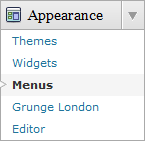
2) You can manually define the header links using the custom menu. To do it, first, click on the “Menus” link found under the “Appearance” tab in WP admin. Then follow the instruction on the page to add your custom menu. This feature only works with WP 3+.

Plugin
There is a featured content section below the header link. This feature is built in using the Featured Content Gallery (FCG) plugin. Please download the latest version and follow the instruction found in “Readme.txt” to do the setup.
If you do not want to show this feature, just don’t install the plugin.
Blog Title and Description
The demo is showing a special font as below:

By default, after you install the theme, the blog title and description are showing the Arial font.

You can change the font style by following this instruction:
Part 1: Modifying Font Style
– Download this PSD zip file (also included the font that I use)
– Extract and open the PSD file in the Photoshop/ImageReady/Gimp/PaintShop program
– Change the title and description using your desired font (you are free to modify the header image if you want)
– Save the image using this name: bg_header.jpg
– Upload the image to your server in the “/styles/default/” folder
Part 2: Activating the Style
– Login to your WP admin
– Go to the options page of the Green Light theme under “Appearance -> Green Light”
– Find “Theme Style” under “Layout Setting”
– In the pull-down menu, select “default.css”
– Save the setting and go to your site to see the changes.
Ad Widget
An ad widget can be found under the “Available Widgets” section. You can drag the widget to Sidebar 1. This widget allows you to add your advertisement while keeping the sidebar design. Please limit the width of your ad to 160px.
User Showcase
The followings are a few examples of nice modification of this theme from other users. You can view all the nice design in the forum theme showcase.
 |
 |
 |
Change Log
2008-07-28 V1.0 – New release.
2008-09-17 V1.01 – Fixed some bugs and added a few css selectors to make the theme more compatible.
2008-09-29 V1.03 – Fixed more bugs.
2008-10-31 V1.05 – Minor changes. No need to upgrade to this version if you don’t encounter any issues with ver 1.03
2008/12/17 V1.10
– Supported WordPress ver 2.7 with the following changes:
– Comment section support paging and threading (WordPress 2.7 feature)
– Change the comment layouts and use tabs to seperate comments and trackbacks.
– Exclude the pages in menu if you set it in widgets.
2009/04/17 V1.15
– Include h1, h2, h3, h4 in blog title, post title etc for SEO purpose.
– Change the license to Creative Commons Attribution-Noncommercial 3.0 Unported.
– Fixed 1 error for comment css.
2009-07-14 – Theme is compatible with WP 2.8
2010/10/16 V3.00
– Added drop-down menu, ad-widget, Options page, advanced automatic thumbnails, custom style and more.
– Added custom menu (works on WP 3+ onwards) and enabled localization (translation).
– Change a lot of things.


