


Cloud Security and How to Keep your Data Safe

Are you familiar with the old saying “ignorance is bliss” a phrase coined by Thomas Gray? Yes, you could say that when it comes to online security, it could not be further from the truth. As a user of the web it is really important to stay alert and be aware of what is happening around you at all times. As with that thing about cloud computing in which everyone speaks. How secure is the cloud computing? Are you protected? Actually… what is it? The Basics The good news is that you probably make use of cloud computing and unknowingly on a daily basis. The cloud computing technology boosts webmail services like Yahoo and Gmail, blogs, social networks, online games, productivity tools like Google Docs and even alternative backup and storage. There is a “cloud” with a unique and comprehensive approach as such, but many are smaller and separated from each other. Some are run by well-known companies as Google, Facebook and Microsoft, who use their Cloud to offer a wide range of online services directly, while some are constructed and used privately by companies for their internal employees, and others are designed and created specifically to be rented and can be used both for individual users and for online businesses. Therefore, cloud computing actually resides in chips and servers in million data centers – some interconnected, and other non-worldwide. These chips and servers offer the computing power to deliver services and applications over the Internet on a PC, Laptop, Tablet or Smartphone users. Meanwhile, in the other direction, you will be sending your data, photos, emails, instant messages, notes, etc… That will be stored on the servers of your service provider. This means that, for example, when users access Gmail on their Smartphone, almost instantaneously, opens his Inbox messages anywhere in the world where the person goes. The Risks We all know how cloud computing has helped to change our lives – just try to go a week without connecting to Google or Facebook account to see it, but there are other risks involved. Where people and money goes, usually criminals follow too often. Cybercrime is big business and the dark sides of the Internet the “bad guys” are authentic teachers defraud and extort money from their victims. There is also a thriving black market where stolen data of users are bought and sold, so it’s worth paying attention, be alert and take a few steps to achieve techniques to keep cyber criminals out of reach. The main techniques used to try to take your money are: deception, to reveal personal information about yourself through fake phishing emails that pretend to be sent from an official source, or malware infections. The latter can be as simple as clicking a link in an email or doubtful on the social networking site, opening the malicious attachment, downloading a mobile application that appears to be legal, or even visiting a legitimate site that has been hacked. Best Tips to Stay Safe Cloud computing providers like Google, Facebook and Microsoft spend a small fortune to ensure that their data centers are as safe as possible, accredited according to standards and internationally recognized IT standards. However, there are still some security breaches in the cloud and users must be involved and take some responsibility too. Here are some tips: Always use logon passwords complex and do not share passwords among different online accounts in case one is compromised. Consider having an online backup service to ensure to keep your entire data safe in the cloud, in case you lose your phone or laptop...
Read MoreHow to: Create Stunning Flip-Through Image Galleries in WordPress without Knowing any Code

The visuals on your web site are important and so is its ease of use. It’s unfortunate that the default WordPress galleries are so unrefined and dull. The navigation between pictures can be confusing for your less savvy web visitors, depending on which theme you choose. You need to have some knowledge of CSS and HTML to be able to adjust for your visual needs. It can be a real headache and searching through all the gallery-related plugins on WordPress.org can be time-consuming and leave you just as frustrated, if not more. I’m here to spare you that headache. And the fix is so simple. Here are two plugins, when combined, create beautiful, easy-to-use galleries for any page and any purpose on your WordPress site… with zero extra effort after basic installation : 1. NextGen Gallery 2. NextGen Gallery ColorBoxer Before we begin, you must ensure you are not using the latest release of NextGen Gallery. Yes, I said not. The latest release of NextGen came with many, many problems that have still been unresolved to my knowledge. Try to stick to a version before version 2.0 Here is where you can download a previous version of NextGen Gallery: NextGen Gallery Plugin Download The first step, in this simple process, is to download the NextGen Gallery plugin. We cannot use the “Add New” featured under your plugins menu in your WordPress Admin area for this one, because it will install the latest version of the plugin. So, download it from the link above. Once it’s downloaded, unzip the file you downloaded. The resulting folder should be uploaded via FTP to your WordPress plugins folder which is within the WP-Content folder of your web site. Once the upload is complete, head back into your WordPress Admin interface and click the Plugins option in your left hand sidebar. Choose Installed Plugins from the sub-menu. You should now see a list of all your installed plugins, including your freshly uploaded NextGen Gallery. Click “Activate” underneath it and be sure to ignore the update notification. You now have NextGen Gallery installed on your site and need to install NextGen ColorBoxer. At the top of the list of installed plugins, there is a small text button that says “Add New”. Clicking this will take you to a search field. Here you can enter “NextGen ColorBoxer” and it should be the top result. Click “Install Now” underneath it. You will be prompted with a standard “Are you sure?” type message. Click yes. The page that comes up next will show you the details and progress of the install, which should take seconds, tops. When it’s done, it will give you a link at the bottom of the progress, enabling you to activate the plugin. Go ahead and activate it. Now, you’re site is ready to host beautiful, easy-to-use galleries! Let’s test it out, shall we? In your WordPress Admin area, choose Gallery towards the bottom of the left hand side bar, and from the sub-menu, select Add Gallery/Images. At the top of the resulting page, choose the tab that says “Add New Gallery”. Type in your desired gallery name and click the “Add Gallery” button. You should now be back on the image upload interface. Click the “Select files” button and choose some images. You can choose multiple images from this interface, or even just drag and drop. Be sure each image is smaller than your server’s upload limit. Most commonly this is 2 megabytes. Once you have selected your images, makes sure the scale images button is checked, and you have chosen the Gallery...
Read MoreA Faster WordPress: How To Make A Lean, Mean, WordPress Machine

So you finally got your long-awaited WordPress site on the web. You paid top-dollar for the latest responsive parallax theme, put all your best pictures on the site and loaded it with the latest plugins. You go to view it live on the web and… wow, this thing takes forever to load on the page. You check it from your 4G phone to see if it’s a problem with your internet. Same thing. You have a friend check it, only to find it takes them about 10-12 seconds to load the homepage too. Suddenly, your great new site isn’t so great anymore, and you begin to wonder how you are going to get visitors to stay on a page with a ten-second-plus load time. Is this you? If so, don’t worry, and don’t scrap your WordPress site or run out to change hosting providers thinking you just need more bandwidth. You have options, and I am going to show you first how to discover what is slowing down your site, and then give you five of the easiest fixes out there that can optimize your WordPress site and have you outpacing the other guys in no time. If you choose to ignore this problem, you do so not only at the risk of losing valuable visitors to your site, but also losing rank in the search engines simply because your site is slower than a competitors. Google counts site speed as a ranking factor since early 2010 and will penalize or reward your site accordingly. Find The Problem Thankfully, there are numerous free tools out there to assist you in figuring out how fast, or how slow, your site is. Many of these tools also have helpful, step-by-step suggestions on how to correct your site speed bumps. The two most popular tools out there are Google’s Page Speed Insights and Pingdom’s Website Speed Test. Google’s tool is great because hey, let’s face it, Google is the king of search, and with this tool they essentially tell you exactly what they are looking for to speed up your site to their specifications. Google’s tool also has a very user-friendly analysis and walk through, giving you an overall ranking for both mobile and desktop load speeds. Pingdom’s tool offers a more technical, nitty-gritty look at your site’s page speed and, in addition to offering it’s own similar list of site speed improvements, offers a useful cascade-view that helps you find the parts of your site that take the longest to load. Using Google’s Page Speed Insights 1 – Go to their main page and type in your site URL. 2 – Google will analyze the site and feed you results with a speed rank and their color-coded suggestions to improve your site speed. Google gives you line-by-line suggestions on the best fixes to implement on your site, as well as tips on how to accomplish those fixes.  Using Pingdom’s Website Speed Test 1. Go to the website speed test tab and enter your site URL.  2. Pingdom will analyze your site and give you a brief informational report on page load time, page size, number of requests sent to the server and their performance rating for your site. You will also notice the waterfall (also called cascade) report immediately below that information summary. This will show you the culprits that are slowing down your page load by file name (like the slow-loading CSS file in the example below), a very useful piece of information for our next section.  If you want more options, Yahoo also offers YSlow as a...
Read MoreA Guide to WordPress A/B Testing through Google Analytics
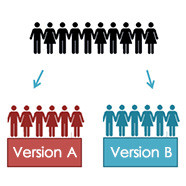
When it comes to webpages and websites it’s often the little things that make a difference. You may be amazed but the tiniest incremental differences can make the most significant changes to conversions and sales. The answer to this is A/B split testing as you may already know. A/B testing allows you to try out two different versions of a page to find which one performs the best. It’s a tried and tested manner to increase conversions and we’re going to show you how to use Google Analytics to do so on your WordPress website. Before you Test It’s pivotal to take into account a number of things before you test your website to ensure the most accurate and apt optimisation. You need to decide on the areas to test and these should be selected in accordance with the result you want. So, if you wish for more signups then you will need to test field boxes, sign up forms etc. If you want to increase sales conversions – the checkout can be a good place to start. Be focused and consistent when testing. You need to schedule your testing to prevent a pileup of data and to ensure accuracy. Decide on a set period for testing and ensure you have enough traffic to test; otherwise the statistics may not be accurate. Ideally you will need 100 clicks or more prior to testing to ensure that the results are accurate. The higher the number of clicks the more likely the A/B split testing will be accurate. First things First Before you begin, you’ll need to do a few things if you’ve not already done them. Install and set up a Google Analytics Account on your WordPress site You also need two versions of the page that you are testing. One copy can be the original and the other should have a different layout, typography or something else than the first. The original and variation will need to be published How to Set Up your Test Google Analytics offers a quite easy manner to get things up and running. Within the program, A/B testing is known as experiments. This can be found by going to the ‘content’ tab on the left of the page, clicking and then scrolling down to experiments. Clicking on your URL will get you started. Now, choose a name for the test and an objective. This allows you to choose and track the number of visitors to each variation page achieve the objective. As an example, this goal could be the number of people that flow through a certain channel to your goal page. So, how many people complete a registration form and land on a thank you page for example. This would then be counted as one completed objective. The next thing to do is to choose different variations of the page for people to land on. As we said make alternative versions of the page and make them publically accessible. These can have different calls to action, designs and layouts. When you add these you will be taken to the next page which has a code to add to the WordPress site’s header. Copy and paste this to the theme’s header. php file. By adding this code visitors will be directed to different versions of the page. Simply, replace $page_id with the id of your original page. It’s also possible to do this by using a tool for WordPress called Google Content Experiments – this means you don’t have to modify the code. When this is completed and you’ve added the code to the...
Read MoreDebunking The Myths Surrounding Marketing Analysis And Research

Have you been thinking about hiring a marketing analysis and research company, but you are wary because of all the misconceptions and rumors about this particular process? If that is the case, then you should definitely read on to find the truth about the most common myths surrounding marketing analysis and research. Myth No. 1: Only a Few Organizations can benefit from Marketing Research and Analysis The Truth: All organizations, regardless of size or industry, will benefit from researching and analyzing consumer data. If there are only a few businesses who conduct marketing research and analysis in the industry that your own organization belongs to, you may have already concluded that there will be no benefit for you if you do so. Businesses that do not research and analyze consumer data are actually missing out on a lot of opportunities. There are actually a lot of benefits of researching and analyzing this particular set of data, from improved client retention to enhanced efficiency of content and from better conversion rates to greater campaign performance. Myth No. 2: Marketing Research and Analysis Is Extremely Complex The Truth: Through the services of the best marketing research and analysis company, you do not have to worry about complexity. While it is true that the process of researching and analyzing marketing data is difficult for a lot of people, you do not necessarily have to carry this burden alone. This is why there are companies who specialize in providing such services. By enlisting the services to the right company, you will be provided with results in a very easy to understand format. Myth No. 3: Marketing Research and Analysis Consumes a Lot of Time The Truth: Marketing research and analysis results can be delivered within the same day, given that you are working with a highly reliable company. A highly reliable marketing research and analysis company makes use of the latest technologies and tools. So by working with such a service provider, you can expect to gain the results that you need within an impressive time frame. You can choose to have it delivered to you in real time, after every few hours, at the end of the day, or at the end of the work week. Myth No. 4: Businesses Already Know What Customers Want – No Need for Further Market Analysis The Truth: The needs and preferences of consumers are always changing. If you think that you already know exactly what your customers want, you may already have decided that there is no longer a need to perform further market research and analysis. Always keep in mind that consumers, being human beings, are always susceptible to changes. This means, that what they wanted yesterday may be different from what they want today. The only way to be kept abreast of these changes is to always monitor their activities – through proper research and analysis. Myth No. 5: Marketing Analysis and Research is Always Extremely Costly The Truth: Not really, as long as you are able to choose the right company that will perform the responsibilities. Marketing analysis and research services do not need to be expensive. The key here is to choose the right team of experts to hand over the task to. Take the time to find out more about companies providing such services so that you will know the ones that have gained client trust and loyalty, from those that have not been able to deliver results. Learn more about big-data analytics at...
Read More


