


Latest Version: 3.00
Added on: 2015/05/19
I still remembered when I was a kid, my mom bought me a handcraft kit and I used it to make a greeting card. I thought of the moment and decided to make a theme that looks like it is handcrafted.
Of course, this one is much better than the one I made 20 years ago 🙂
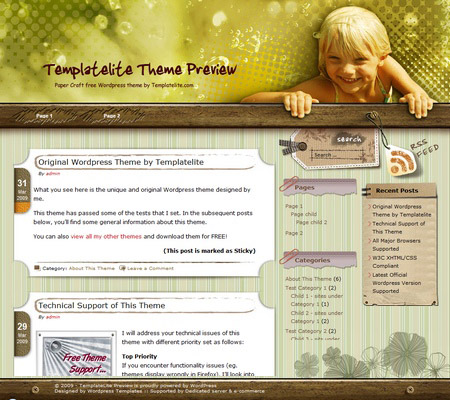
By using this theme for FREE, you agree to accept the external links.


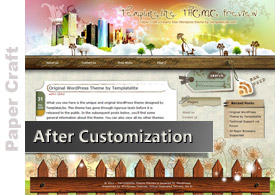
The following is an example of a custom design of the Paper Craft theme.
 |
|
 Main Features
– Different design for sticky post feature
– Compatible with IE7, IE8, Firefox, Chrome, Safari, Opera
– W3C XHTML and CSS compliant
– SEO ready
– Gravatar enable
Blog Title and Description
The demo is showing a special font as below:

By default, after you install the theme, the blog title and description are showing the Arial font.

You can change the font style by following this instruction:
Part 1: Modifying Font Style
– Download this PSD zip file (also include the font that I use)
– Extract and open the PSD file in the Photoshop/ImageReady/Gimp/PaintShop program
– Change the title and description using your desired font (you are free to modify the header image if you want)
– Save the image using this name: bg_header.jpg
– Upload the image to your server in the “/styles/dream/” folder
Part 2: Activating the Style
– Login to your WP admin
– Go to the options page of the Paper Craft theme under “Appearance -> Paper Craft”
– Find “Theme Style” under “Layout Setting”
– In the pull-down menu, select “dream.css”
– Save the setting and go to your site to see the changes.
User Showcase
The followings are a few examples of nice modification of this theme from other users. You can view all the nice design in the forum theme showcase.
 |
 |
 |
Change log
2009-05-19 v1.00 – Release
2009-07-14 – Theme is compatible with WP 2.8
2011-09-16 v3.00 – New – Added drop-down menu, ad-widget, Options page, advanced automatic thumbnails, custom style, custom menu (works on WP 3+ onwards) and enabled localization (translation).
13 Comments
Trackbacks/Pingbacks
- PaperCraft Wordpress Free Theme | Wordpress Premium Templates | Download Free Templates - [...] again a theme that is distributed free of charge.Thanks for theme Desing: Templatelite If you’ve set a personal site,…
Leave a Reply


Beau-T-ful!
Awesome likes you always do
Added to my directory too
Keep the hard work going
Hi there!
First of all, CONGRATS for the lovely template!
I just uploaded it to my blog (Url above) and noticed that 2 links columns were created. What can I do to leave the links in one column only?
Thanks so much,
Do you mean you want to change the 2 columns in the sidebar to just 1 column? If so, there’ll be big change in the coding and I am sorry that I have no time to work on it.
He probably means there are 2 links widgets on the page. Just remove one in dashboard.
Guys nd girls!
Im a newbie at wordpress.com…I have to say…I only changed from blogspot to wp because their templates sux…hehehehe
I hope some of you could be extreeeeeeeeeeeemely kind to this dumb person here and teach me how can I upload this gorgeous template here to my wordpress.com blog?
Thanks so much for your help…
I am not sure if you have made a right choice to switch to WordPress.com because there are limited templates to choose from there. Most of the beautiful themes you saw, including mine work on WordPress.org only.
love your template. i am using it right now. thank you so much
hey, really nice template up there..
i put it on my blogspot and it looks really niceeeee..
just one problem, why is it that the date on the sidebar displaying 17 April 2009 for all posts?
Thanks before
@aimar, seems like you are using the Blogspot version of this theme. If so, please refer to Bloggerstyles.com for support.
Loving It
Hi, first of all I want to say how beautiful your work is!!!!!!!!! I love these themes.
I am wondering though, is there a way that I can make the comments show rather than just the number of comments I have? Like I have 3 comments on the one post I’ve posted so far. But in order to view them you have to click on them. I’m looking for a theme that will just show them there. Or one of the many you have like the one I have up now.
@Ladonna, I viewed your post and saw that all the comments are showing without having to click on the comments to read them.